用于调试、编程和诊断的便捷功能
从 MyFesto 获取完整的机器拓扑结构
设备拓扑结构可通过 MyFesto,直接从系统配置器等设计工具导入 Festo Automation Suite。 在此过程中,会计算与项目有关的设备参数并检查其一致性。 无需手动配置,就可将数据应用到调试中。 既节省时间,又可有效规避错误。
配置远程 I/O 系统和 IO-Link® 设备
本视频向您展示如何轻松、快速调试配备 IO-Link® Master 的远程 I/O 系统。 Festo Automation Suite 软件通过清晰明了的拓扑结构图、图形化参数页面以及全方位诊断功能,为客户提供支持。 借助于此,可实现远程 I/O 系统、阀岛和 IO-Link® 设备的结构化配置与参数设置。 基于云技术,跨制造商提供所需的设备描述文件 (IODD),可直接在软件中调用。
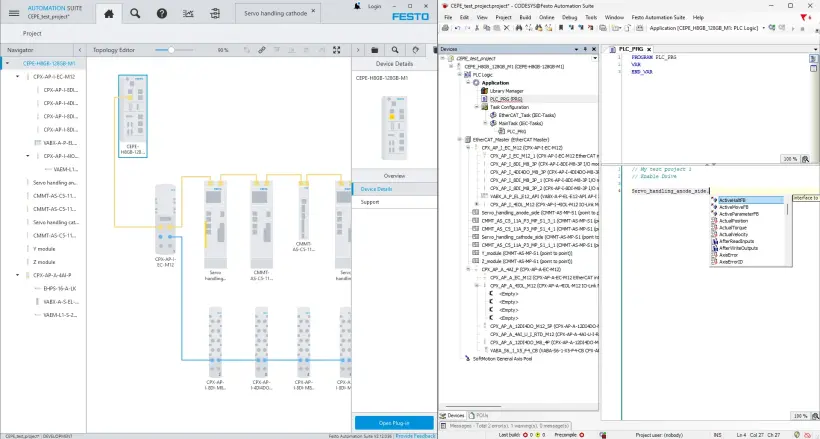
将伺服驱动器轻松集成到控制器中
引导式调试助手、图形化参数设置和集成式诊断功能,可以帮助用户快速完成驱动系统的首次调试和优化。 在拓扑编辑器中,只需点击两次,就可通过设备连接线将伺服驱动器集成到控制程序中。 届时,所需的库、过程数据和轴参数都会自动应用。 之后就可直接在控制程序中调用驱动系统 - 配置工作量大幅减少。
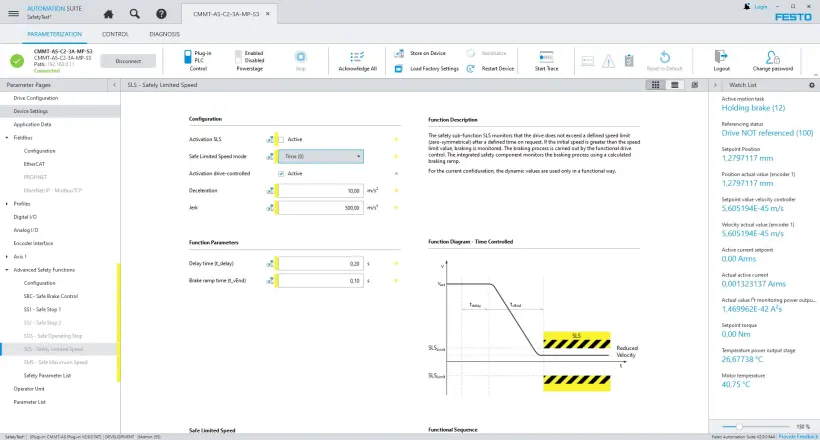
轻松完成安全功能参数设置并进行验证
安全功能参数设置已无缝集成到 Festo Automation Suite 中。 伺服驱动器插件拥有图形化参数界面和直观操作,为您提供直接支持。 集成式助手引导您完成验证过程,轻松创建机器文档报告。
轻松导出配置数据用于外部控制系统
伺服驱动器参数组和远程 I/O 系统导出文件可直接从 Festo Automation Suite 导出,配合不同制造商出品的控制系统,例如 PROFINET、EtherCAT®、EtherNet/IP 等。 这样可以避免重复配置,降低出错概率,提高后续编程速度。
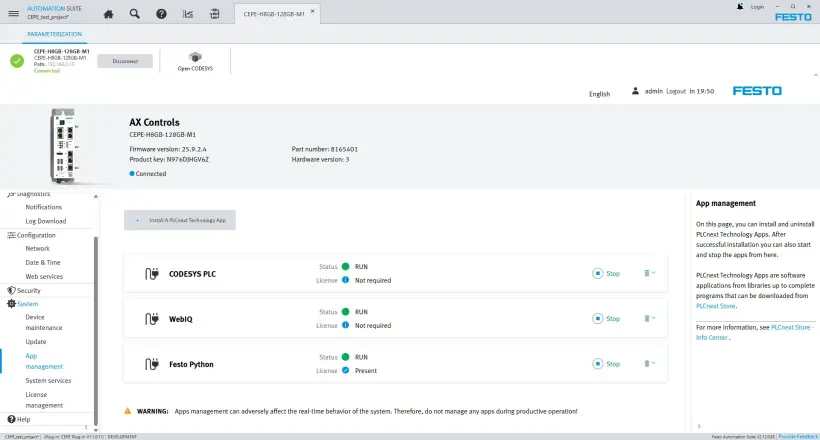
Festo AX Controls 设备配置与编程
Festo Automation Suite 软件可为 Festo AX Controls 设备(例如 CEPE)的配置和编程提供支持。 固件文件、许可证、应用程序和 HMI 可视化界面都可直接在 Automation Suite 中进行管理并传输到设备上。 设备无需额外的配置步骤,就可直接将拓扑结构应用到 CODESYS 编程环境中,而后立即用于实现机器序列。
多固件下载与设备轻松诊断
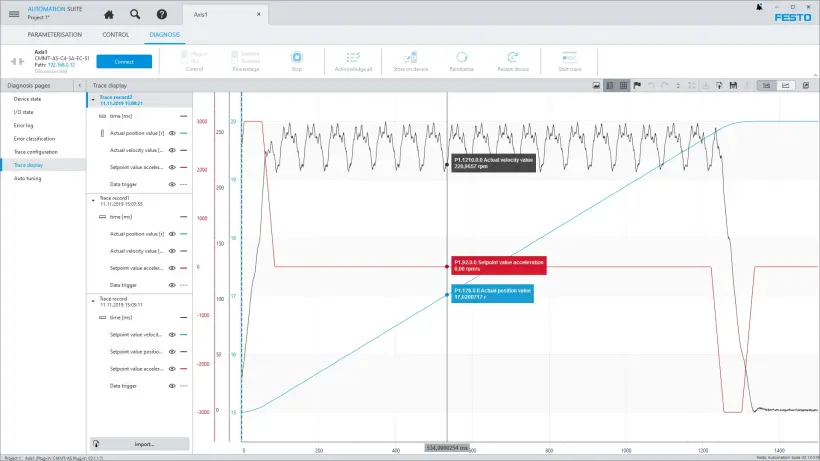
自动识别网络中的设备,基于云技术提供固件文件并对其进行集中管理。 只需点击一下,就可同时对连接的多个设备执行固件更新。 不但减少人工操作,还可加快调试速度。
此外,集成的跟踪功能不但能记录设备信号,还支持状态和错误消息分析。
机电一体化模块化系统
在 Festo Automation Suite 中,您可以直接选择 Festo 出品的各种机电产品 ,比如齿形带式电缸、丝杠式电缸、有杆电缸、小型滑台式电缸以及旋转电缸等。 系统会自动配置支持的安装组件,并将其纳入控制系统数据计算过程中。
定制型直线或旋转机构也可被映射:您只需在软件中直接输入相关特性值,这些数据就会被纳入控制系统数据计算过程中。
此外,Festo Automation Suite 还支持对不同制造商生产的采用 IO-Link® 技术的设备进行调试、配置和参数设置 。
了解更多 Festo 工程设计工具相关信息
Festo Automation Suite 软件可在调试与运行阶段为您提供支持。 此外,还提供高性能工程设计工具用于设计和项目规划。
系统配置器 – 设计机器方案并进行可视化管理
Handling Guide Online – 快速设计抓取系统
Electric Motion Sizing – 设计电驱动系统
Festo Automation Suite 软件常见问题解答
1️. Festo Automation Suite 软件如何助力实现快速引导式调试?
Festo Automation Suite 软件内嵌用户引导式调试助手、可图形化显示设备拓扑结构,还方便用户轻松完成参数设置。这一切可以为调试过程提供有力支持。 此外还可自动识别设备并将其应用到项目中,并分步设置相关参数。 这样不但能减少人工操作,还可加快机器调试速度。
2️️. 哪些设备可以使用 Festo Automation Suite 软件进行调试?
Festo Automation Suite 日啊模块支持 Festo 出品的全系列电子设备 - 从伺服驱动器到远程 I/O 系统和阀岛,再到 CEPE 等控制器,全面覆盖。 此外,还可集成不同制造商生产的 IO-Link® 设备并进行参数设置。
3. Festo Automation Suite 软件提供哪些数据传输方式?
系统配置器、Handling Guide Online、Electric Motion Sizing 等 Festo 工程设计工具的项目数据,可以通过 MyFesto 直接应用到 Festo Automation Suite 中。 无论是单个调试文件,还是包含预计算参数的完整机器拓扑,都能实现一致性导入。 如此一来,所有相关设备数据都无需任何手动后续处理,就可直接用于调试。
4. Festo Automation Suite 软件支持导出到其他常见控制系统吗?
当然。 参数组和配置数据都可导出到不同制造商生产的控制系统,比如 PROFINET、EtherCAT、EtherNet/IP 等。 这样既可避免重复配置,又能轻松集成到现有控制环境中。
5. Festo Automation Suite 软件集成了哪些核心功能?
Festo Automation Suite 软件将配置、参数设置、编程、固件管理、设备诊断、网络扫描等功能整合到一款模块化调试软件中。 所有功能均集成于统一的用户界面,为调试、运行及维护提供全面支持。 此外,Festo AX Controls 设备的应用程序和许可证也可直接传输并集中管理,从而减少配置工作量。