Convenient functions for commissioning, programming and diagnostics
Transfer complete machine topologies from MyFesto
Machine topologies can be transferred directly from engineering tools, such as the System Configurator, to the Festo Automation Suite via MyFesto. Project-related device parameters are calculated and checked for consistency. You are then able to transfer the data for commissioning without the need for any manual configuration effort. This saves time and reduces errors.
Configuring remote I/O systems and IO-Link® devices
In this video, we show you how to quickly and easily commission remote I/O systems with an IO-Link Master. The Festo Automation Suite supports you with a clear topology display, graphical parameter pages and extensive diagnostic functions. It provides a structured approach for configuring and parameterising remote I/O systems, valve terminals and IO-Link® devices. The necessary device descriptions (IODDs) for all manufacturers are therefore supplied in a cloud-based format and are available directly in the software.
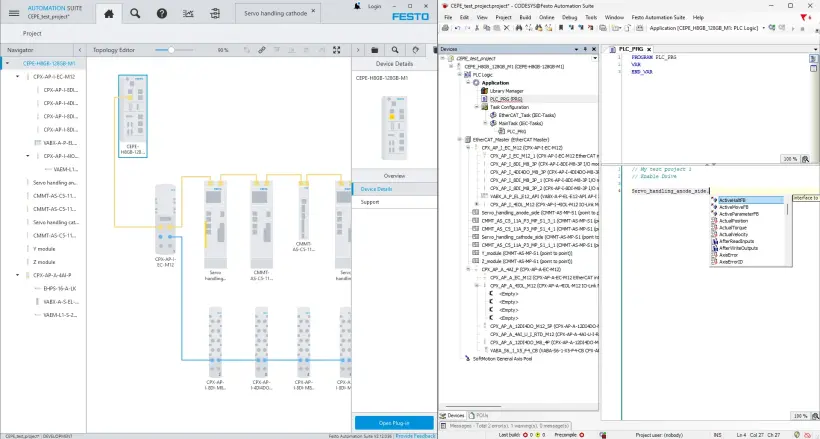
Easily integrate servo drives into the controller
Guided commissioning wizards, graphical parameterisation and integrated diagnostic functions enable the quick initial commissioning and optimisation of the drive system. By using a device connection line, servo drives can be integrated into the control program in the topology editor with just two clicks. The required libraries, process data and axis parameters are automatically transferred. The drive system is then available directly in the control program, with significantly less configuration effort.
Easily parameterise and validate safety functions
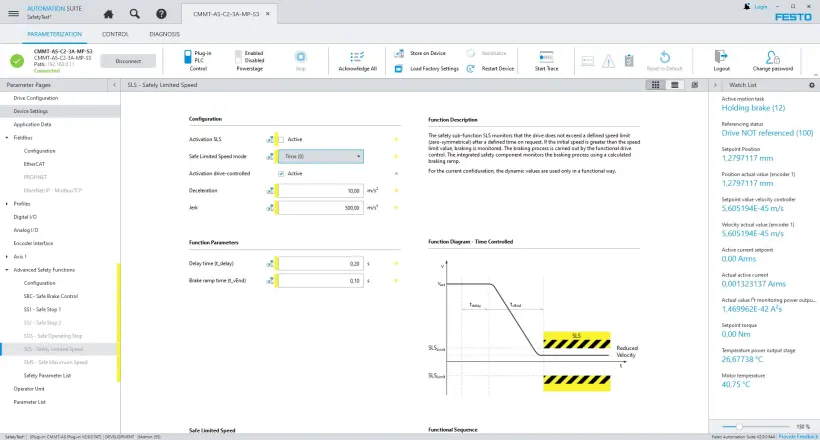
The parameterisation of safety functions is seamlessly integrated into the Festo Automation Suite. The servo drive plug-in supports you directly with graphical parameter pages and intuitive operation. An integrated wizard guides you through the validation process and enables you to conveniently create a report for machine documentation.
Easily export configuration data for external control systems
Parameter sets for servo drives and export files for remote I/O systems can be exported directly from the Festo Automation Suite for cross-manufacturer control systems, such as PROFINET, EtherCAT® or EtherNet/IP. This helps you avoid duplicate configurations, reduce errors, and speed up additional programming.
Configuring and programming Festo AX Controls devices
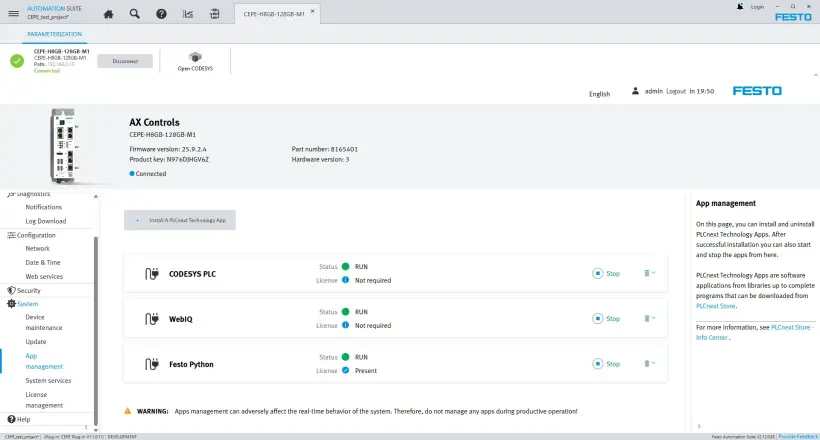
Festo Automation Suite supports the configuration and programming of Festo AX Controls devices, such as CEPE. Firmware files, licences, apps and HMI visualisations can be managed directly in the Automation Suite and transferred to the device. The devices are transferred from the topology to the CODESYS programming environment without any additional configuration steps and are then immediately available for realising the machine sequence.
Multi-firmware downloads and simple device diagnostics
Devices are automatically detected on the network, firmware files are provided via the cloud and managed centrally. Firmware updates can be performed simultaneously for multiple connected devices with a single click. This reduces manual effort and speeds up commissioning.
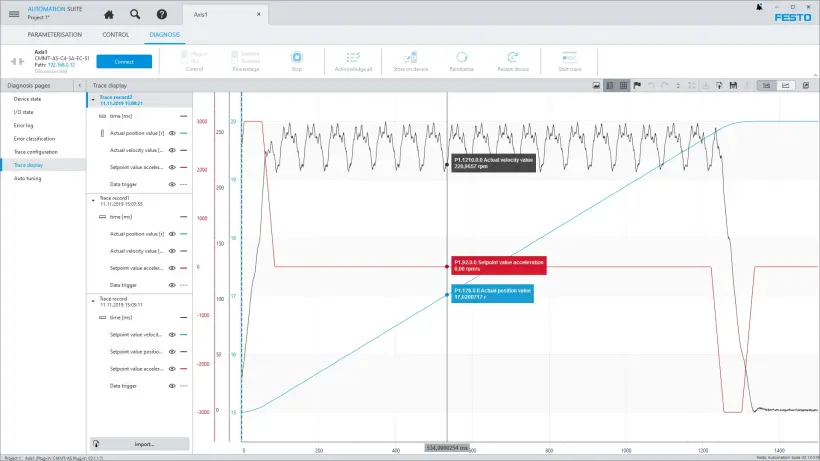
In addition, the integrated trace function records device signals and enables conditions and error messages to be analysed.
Mechatronic modular system
In the Festo Automation Suite , you can select electromechanical components from Festo, such as toothed belt and ball screw axes, electric cylinders, mini slides, and swivel and rotary actuators, straightaway. Supported mounting kits are automatically configured and are included in the calculation of the controller data.
Customised linear or rotary mechanisms can also be mapped. When you enter the relevant characteristic values directly into the software they will be taken into account when calculating the controller data.
Festo Automation Suite can also be used to commission, configure and parameterise devices from different manufacturers using IO-Link®.
More about Festo engineering tools
Festo Automation Suite supports you during commissioning and operation. Powerful engineering tools are also available for design and project engineering.
System Configurator – design and visualise machine concepts
Handling Guide Online – quickly design handling systems
Electric Motion Sizing – design an electric drive system
FAQs about the Festo Automation Suite
1. How does the Festo Automation Suite support fast and guided commissioning?
The Festo Automation Suite facilitates commissioning with simple parameterisation, a graphical representation of the device topology and user-guided commissioning wizards. Devices are automatically detected, added to the project, and the relevant parameters are set step by step. This reduces manual effort and speeds up machine commissioning.
2. Which devices can be commissioned with the Festo Automation Suite?
The Festo Automation Suite supports all electronic devices from Festo, from servo drives and remote I/O systems to valve terminals and controllers such as CEPE. In addition, IO-Link® devices from different manufacturers can be integrated and parameterised.
3. What data transfer options does the Festo Automation Suite offer?
Project data from Festo engineering tools such as the System Configurator, Handling Guide Online or Electric Motion Sizing can be transferred directly to the Festo Automation Suite via MyFesto. Both individual commissioning files and complete machine topologies, including pre-calculated parameters, can be imported. This means that all relevant device data is available for commissioning without the need for any manual rework.
4. Does the Festo Automation Suite allow export to other common control systems?
Yes. Parameter sets and configuration data can be exported for cross-manufacturer control systems, such as PROFINET, EtherCAT® or EtherNet/IP. This avoids duplicate configurations and facilitates integration into existing control environments.
5. What key functions does the Festo Automation Suite combine?
The Festo Automation Suite combines configuration, parameterisation, programming, firmware management, device diagnostics and network scanning in a modular commissioning software package. All functions are integrated into a uniform user interface and support commissioning, operation and maintenance. In addition, apps and licences for Festo AX Controls devices can be transferred directly and managed centrally, reducing the configuration effort.